
You’ll transform your smartwatch from a generic device into a personalized command center by customizing face complications. This enhancement reflects your individual preferences while providing quick access to relevant health data, fitness metrics, and daily essentials. With 65% of users relying on smartwatches daily, strategic complication placement maximizes your limited screen real estate and creates stronger emotional connections with your device. Discover how advanced customization features can revolutionize your daily interaction experience.
Enhanced User Engagement Through Personal Style Matching
The moment you customize your smartwatch face, you’re transforming a generic device into a personal statement that reflects your unique style and priorities.
Your smartwatch face transforms from generic tech into a deeply personal extension of who you are and what matters most.
When your watch face matches your aesthetic preferences, you’ll naturally interact with it more frequently throughout the day. This visual alignment creates cognitive absorption, making you more likely to develop meaningful routines around checking your device.
Your customized complications become visual triggers that support your specific goals, whether that’s tracking steps, monitoring heart rate, or staying updated on weather. With 60% of users reviewing health metrics daily, having personalized complications positioned prominently on your watch face becomes crucial for maintaining consistent health monitoring habits.
You’ll find yourself glancing at your wrist more often when the interface delights you aesthetically. This increased interaction strengthens your emotional connection to the device, leading to higher satisfaction and long-term retention.
Personal relevance drives engagement more effectively than generic displays.
Optimizing Screen Real Estate for Maximum Information Display
When you’re working with just 1.5 inches of screen space, every pixel becomes precious real estate that demands strategic allocation. Your smartwatch’s limited display requires careful balance between information density and glanceability during those quick 5-7 second views.
Modern watch faces offer up to eight complications, but you’ll need to take into account visual parameters like size, frequency, and color to guarantee rapid comprehension. Larger screens accommodate more complications without overwhelming you, while strategic positioning of visual encodings significantly impacts how quickly you’ll process information.
You can leverage dual screen options to maximize data display by flipping between interfaces. Choose between raw data or computed aggregates based on your comprehension needs, and organize complications effectively to maintain clarity while accessing the information that matters most to your daily routine. The complication data sources that power these displays operate independently from the watch face design, allowing for seamless integration of third-party app information.
Advanced Complication Types for Health and Fitness Tracking
Your smartwatch’s health complications transform your wrist into a detailed wellness dashboard that monitors critical metrics throughout the day.
You’ll find heart rate monitoring complications particularly valuable as they display real-time data and track changes during workouts, rest periods, and daily activities.
Activity progress tracking and sleep pattern analysis complications complete your health overview by showing step counts, workout summaries, and detailed sleep stage information right on your watch face. Popular health apps like MyFitnessPal, Strava, Calm, and SleepCycle can be accessed directly through your complications for comprehensive wellness tracking.
Heart Rate Monitoring
Modern smartwatches transform your wrist into a sophisticated cardiac monitoring station, displaying real-time heart rate data through customizable complications that make essential health metrics instantly accessible.
You’ll receive immediate feedback on physical exertion and recovery, with most reputable brands delivering accuracy within a few beats per minute of clinical-grade devices.
Your watch can detect irregular rhythms and alert you to potential arrhythmias like atrial fibrillation, though you shouldn’t rely on it for definitive cardiac diagnostics. The data syncs seamlessly with health apps, creating thorough trend analysis when combined with activity and sleep metrics.
However, verify proper fit for ideal accuracy, as movement and placement affect reliability. These wearable devices utilize optical detection through LEDs positioned against your skin to measure heart rate continuously throughout the day.
Remember that false positives can occur, especially with underlying conditions.
Activity Progress Tracking
Because staying motivated requires constant visibility into your fitness achievements, activity progress tracking complications transform your watch face into an extensive dashboard that displays step counts, calorie burns, and exercise milestones at a glance.
You’ll see real-time feedback through dynamic progress bars and completion rings that update as you move throughout your day.
These complications offer remarkable customization flexibility—you can choose which metrics matter most and position them prominently on modular watch faces. You can easily access these features by tapping a complication directly on your watch face to open the corresponding fitness app.
Third-party fitness apps integrate seamlessly, providing specialized tracking for habit formation and workout logging.
The visual gamification elements, including streaks and achievement badges, keep you engaged with long-term fitness goals while offering quick access to launch workout apps directly from your wrist.
Sleep Pattern Analysis
Sleep pattern analysis complications elevate your smartwatch from a simple fitness tracker to an extensive sleep laboratory on your wrist, monitoring movement, heart rate, and blood oxygen levels to deliver detailed insights into your nightly rest quality.
You’ll see customizable displays showing sleep phases, including when you’re tossing and turning throughout the night. These complications integrate seamlessly with other health metrics, giving you a holistic view of your well-being.
You can set alerts for sleep milestones and receive reminders to improve your sleep hygiene. The data influences your training readiness and recovery time, making accuracy vital for fitness planning.
External app integration enhances depth by incorporating additional metrics, while visual customization lets you choose layouts that suit your preferences. The complications track your complete sleep cycle duration of 90 to 110 minutes, helping you understand when REM periods naturally increase as the night progresses.
Platform-Specific Customization Features and Capabilities
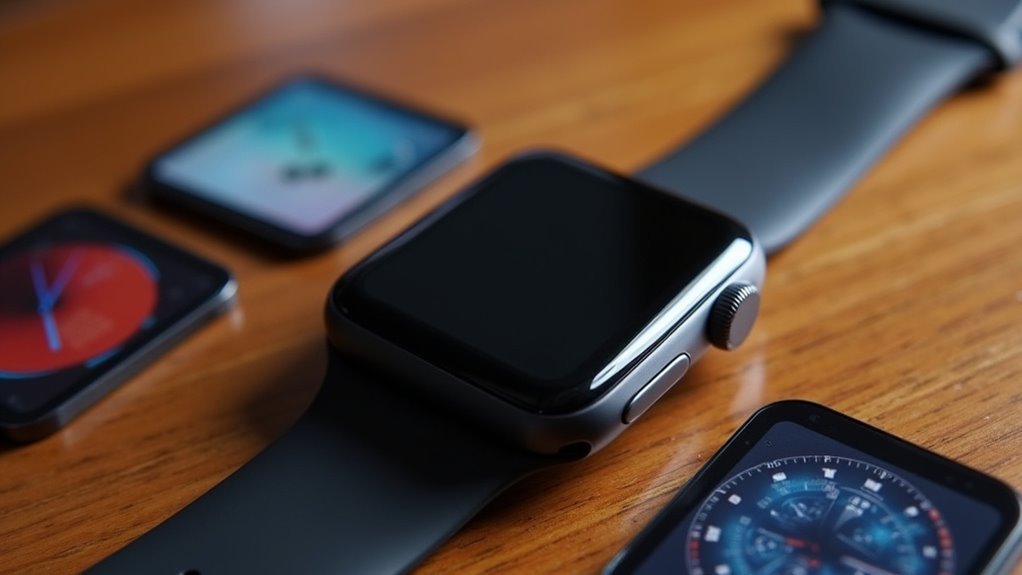
When you’re customizing your smartwatch face, the platform you’re using considerably determines what features and capabilities you’ll have at your disposal.
Apple Watch offers extensive built-in complications focused on health and fitness tracking, with options ranging from basic activity rings to specialized faces like the Modular Ultra for Apple Watch Ultra users.
Apple Watch complications deliver comprehensive health metrics from simple activity rings to advanced Modular Ultra faces for serious fitness enthusiasts.
You’ll find real-time data displays for elevation and depth, plus Night Mode features that preserve your vision during low-light conditions.
Galaxy Watch running Wear OS provides equally robust customization through downloadable faces and third-party apps.
You can select from various complication layouts, whether circular or grid patterns, and control information density to balance data with visual clarity. Interactive watch faces like Artist can create millions of combinations with each tap, offering virtually unlimited visual variety.
Both platforms support customizable bezels and modular designs that maximize your essential data access.
Visual Clarity and Readability Design Principles
When customizing your smartwatch face, you’ll need to focus on three core design principles that make information instantly readable at a glance.
Start with an uncluttered screen layout that prioritizes only the most essential complications. Modern watch faces can incorporate up to eight complications using the Watch Face Format, allowing you to strategically place the information you need most.
Then optimize font sizes to guarantee text remains crisp and legible on your device’s small display.
Finally, establish proper color contrast balance between text, icons, and backgrounds so you can quickly read your watch in any lighting condition.
Uncluttered Screen Layout
The limited real estate of a smartwatch screen demands ruthless prioritization of visual elements to achieve maximum clarity and readability.
You’ll find that minimal UI elements create clear visibility and sharp focus, while clutter-free layouts eliminate visual noise that hinders quick information processing. Place your core data and actions centrally where you can access them quickly during brief interactions.
Consistent spacing and grouping of elements improve your pattern recognition and overall usability. You should embrace negative space as it enhances clarity and reduces cognitive load greatly.
Overcrowded watch faces prevent quick comprehension of essential information when you need it most. Remember that visual hierarchy directs your attention to the most important complications, making every glance at your wrist more efficient and purposeful. Bright colors on your complications improve information visibility under varying light conditions throughout your day.
Font Size Optimization
Ideal font sizing determines whether you’ll successfully read your smartwatch at a glance or strain to decipher critical information. Your device’s small screen demands careful adjustment to reduce visual fatigue and enhance readability.
Font size greatly impacts your reading speed and comprehension. Smaller fonts force you to spend more time searching for information, while properly sized text enables quick glanceability. Consider these readability factors:
| Font Aspect | Poor Choice | Best Choice |
|---|---|---|
| Size | Too small/large | 12pt baseline |
| Weight | Ultra-thin | Medium/bold |
| Case | Mixed styling | Consistent uppercase |
You’ll benefit from customizable font options that adapt to your visual needs. Larger fonts work better for older users, while condensed text slows reading speed. Your smartwatch should automatically adjust sizing based on context, ensuring you’ll capture essential information without squinting or extended viewing time. Low contrast settings between text and background negatively impact your reading efficiency and should be avoided when configuring your display.
Color Contrast Balance
Color choices work hand-in-hand with font optimization to maximize your smartwatch’s readability.
You’ll want to establish a high contrast ratio between text and background elements to guarantee visual clarity across different lighting conditions. Dark themes often provide better readability, especially when paired with light-colored text that stands out clearly.
Consider your typical usage environment when selecting colors. If you’re frequently outdoors, bright, high-contrast combinations work best in sunlight. For indoor use, moderate contrast reduces eye strain while maintaining legibility.
Your display type matters too—OLED screens offer superior color quality, while E-ink displays require simpler color schemes.
Create visual hierarchy using strategic color choices that guide your attention to critical information first, making sure you can quickly access what matters most. Effective color contrast enables at-a-glance information scanning, which is essential given the watch’s compact circular display format.
App Integration and Quick Access Functionality
How do you transform your smartwatch from a simple timepiece into a powerful hub of personalized information? Through strategic app integration and quick access functionality.
Your complications serve as mini windows displaying essential app data—fitness stats, calendar events, or stock prices—directly on your watch face. You’ll access multiple apps simultaneously since your smartwatch supports several complications on one face.
Transform your watch face into a command center by displaying multiple app data streams simultaneously through strategic complication placement.
Touch-enabled devices let you long-press complications to launch apps instantly, reducing navigation time in your daily routine. You can set timers, start workouts, or read messages without diving into menus.
Strategic placement in key slots prioritizes urgent data access while customizable configurations let you highlight your most critical apps and services for maximum efficiency. Financial apps now provide visual snapshots of market indices and core metrics to keep investors informed about fast-moving markets.
Thematic Consistency for Cohesive Watch Face Design
While app integration provides functionality, your watch face’s visual elements must work together harmoniously to create a truly polished experience. Thematic consistency transforms scattered complications into a cohesive design that reflects your personal style and enhances usability.
You’ll want to maintain a unified color scheme across all complications, ensuring visual harmony rather than jarring contrasts. Consistent typography improves readability while supporting your overall aesthetic vision.
Strategic placement creates balanced layouts that guide your eye naturally through information. The key is balancing customization freedom with design coherence.
You can personalize your smartwatch without sacrificing visual unity by following basic design principles. Consider your watch face a fashion statement that should align with your style preferences while maintaining functional clarity and professional appearance. Since flat designs are the most popular choice among top-performing watch faces, this minimalist approach can help achieve both aesthetic appeal and optimal readability.
Multi-Data Integration for At-a-Glance Information
You’ll want to prioritize essential data types like health metrics, weather updates, and notifications that align with your daily needs.
Strategic screen placement guarantees you can quickly scan information without overcrowding your watch face’s visual appeal. Watch face designers determine the rendering method for data values to ensure optimal visual presentation.
Integrating multiple apps creates a personalized dashboard that transforms your smartwatch into a thorough information hub accessible with just a glance.
Essential Data Types
The beauty of smartwatch complications lies in their ability to consolidate your most essential information into bite-sized, glanceable widgets.
You’ll find health and fitness data particularly valuable, with complications displaying your step count, heart rate, and workout progress throughout the day. Weather updates keep you prepared for changing conditions without reaching for your phone.
Battery life indicators guarantee you’re never caught with a dead watch, while notification previews help you stay connected. Music controls let you manage playback directly from your wrist, eliminating the need to fumble with your device during workouts or commutes.
These data types transform your watch face into a personalized dashboard that delivers exactly what you need, when you need it most. With five types of complications available, you can choose the most effective display format for each piece of information.
Optimal Screen Placement
Strategic placement of complications across your smartwatch’s limited real estate determines how effectively you can absorb critical information at a glance.
You’ll want to prioritize your most essential data in prominent positions where your eye naturally falls first. Larger complication slots work best for detailed information like compass readings or stopwatch data, while smaller spaces handle simple metrics effectively.
Position related complications near each other to enable rapid scanning and data assimilation. For instance, group your fitness metrics together and place weather information in a consistent location.
Avoid positioning complications where clock hands might obscure them during specific times. Consider your daily activities when arranging elements—place workout data prominently if you’re fitness-focused, or prioritize calendar notifications for work-heavy schedules.
Some watch faces allow you to leave spaces empty rather than fill every available complication slot, creating a cleaner aesthetic that reduces visual clutter.
App Integration Benefits
Beyond thoughtful placement, modern smartwatch complications transform individual apps into powerful data hubs that work together seamlessly.
You’ll discover that integrating multiple complications creates a detailed dashboard on your wrist, delivering weather updates, fitness metrics, calendar events, and battery status simultaneously without switching between apps.
This multi-data integration eliminates the tedious navigation through separate applications, saving you precious seconds throughout your day. You can customize your watch face by selecting complications that match your specific needs, whether you’re tracking workouts, monitoring meetings, or checking commute times.
The real power emerges when complications interact directly with their parent apps. You’ll launch applications instantly by tapping complications, creating an efficient workflow that keeps essential information visible while maintaining quick access to deeper functionality. On touch-enabled devices, a long press on any complication provides direct access to its corresponding application for enhanced control.
User Survey Insights on Complication Preferences
How do smartwatch users actually prefer to customize their complications? Survey data reveals fascinating patterns in daily usage behavior.
Around 65% of both male and female users rely on their smartwatches daily, showing strong engagement across gender lines. This high usage rate indicates you’re likely depending on complications for vital daily functions.
You’ll find that occasional use patterns also matter considerably. Many users access complications several times weekly or once per week, reflecting varying lifestyle needs.
Occasional smartwatch users access complications weekly, demonstrating how different lifestyle patterns influence device interaction frequency and customization preferences.
However, a small percentage rarely uses their smartwatch, often due to unappealing complication options. Research shows that constant monitoring can create tracking anxiety when users encounter abnormal readings in their health data.
The data shows you’re seeking diverse complications that align with your specific usage patterns.
Whether you’re a daily user or occasional checker, customization variety remains essential for maintaining long-term engagement with your device.
Software Updates and Feature Enhancement Evolution
Your smartwatch’s customization options don’t remain static after purchase—they continuously expand through regular software updates that introduce new complication types and enhanced functionality.
These updates transform your device from a simple timekeeper into a sophisticated command center that adapts to your evolving needs.
Software evolution brings remarkable enhancements:
- Specialized metrics integration – Updates add real-time depth, elevation, training load, and health monitoring complications that weren’t available at launch.
- Enhanced developer capabilities – New APIs and expanded data limits enable richer, more interactive complications with better security protocols.
- Multi-disciplinary data fusion – Your complications can now combine compass heading, essentials, weather, calendars, and smart home controls into unified displays.
This continuous evolution means your customization investment keeps paying dividends as developers create increasingly sophisticated complications tailored to diverse user demands. Unlike traditional timepieces where complications require physical mechanisms, smartwatch features are implemented through software implementation, allowing for virtually unlimited expansion possibilities.
Cross-Platform Compatibility and App Support
What happens when you want to switch smartwatch brands but keep your favorite watch face complications? Cross-platform compatibility makes this seamless. Platforms like Facer support Apple Watch, Wear OS, Tizen, and others, letting you maintain consistent experiences across devices.
| Platform | Apple Watch | Wear OS | Tizen | Latest OS Support |
|---|---|---|---|---|
| Facer | ✓ | ✓ | ✓ | Limited (not Wear OS 5) |
| Google Play | ✗ | ✓ | ✗ | Full |
| Native | ✓ | ✓ | ✓ | Full |
You’ll benefit from broader app ecosystems and hundreds of prebuilt complications. Health apps like Dexcom Share integrate through third-party solutions, providing real-time glucose monitoring. However, challenges exist—newer OS versions may lack immediate support, and differing standards can cause inconsistent behavior. Cross-platform capabilities encourage larger developer communities, fostering innovation. Many face makers welcome customization requests from community members seeking specific functionality for their medical or fitness needs.
Future Innovation Trends in Smartwatch Personalization
As the smartwatch industry evolves beyond basic timekeeping and fitness tracking, AI-powered personalization is transforming how you’ll interact with your wearable device.
You’re entering an era where your smartwatch won’t just display information—it’ll anticipate your needs and adapt to your lifestyle patterns.
Future innovations will revolutionize your customization experience through:
- Predictive Interface Adaptation: AI will automatically adjust your watch face complications based on time, location, and activity patterns.
- Conversational Customization: Voice assistants will let you modify settings and layouts through natural language commands.
- Behavioral Learning Systems: Your smartwatch will learn from your usage habits to suggest ideal face configurations and widget placements.
These advancements mean you’ll spend less time manually configuring your device while enjoying increasingly sophisticated personalization that truly reflects your individual preferences and daily routines. Modern smartwatches provide personalized health insights that simplify complex data beyond traditional numbers and charts, making your customized face complications more meaningful and actionable.
Frequently Asked Questions
How Much Battery Life Do Custom Complications Consume on Smartwatches?
Custom complications consume minimal battery life on your smartwatch since they’re only active when you’re viewing the screen. However, complications requiring connectivity or frequent updates will drain your battery faster than static ones.
Can I Backup and Restore My Customized Watch Face Complications?
You can backup and restore customized watch face complications, but success varies by platform. Apple Watch seamlessly backs up through your iPhone, while Wear OS devices offer inconsistent restoration, often requiring manual recreation.
Do Complications Work Offline Without Internet Connectivity?
Many complications work offline since they display local data like time, battery level, steps, and heart rate. However, you’ll lose real-time updates for weather, news, or stock complications requiring internet connectivity.
What’s the Maximum Number of Complications Allowed per Watch Face?
You can add up to three complications on Apple Watch faces, while Samsung and Wear OS don’t have official limits but practically allow around five to eight before performance issues occur.
Are There Security Risks With Third-Party Complication Apps?
Yes, you’ll face significant security risks with third-party complication apps. They can expose your personal data, lack proper authentication, contain malware, and create vulnerabilities that hackers exploit to steal information.


Leave a Reply