You’ll find exceptional accuracy with these top free measuring apps: AR Ruler App and Apple’s built-in Measure app lead with advanced AR technology, while Ruler AR offers professional-grade precision through ARKit integration. Moasure provides versatile measurement tools using motion sensors, and Angle Meter delivers real-time angle readings. Google Maps handles geographic distances, Smart Measure calculates object heights, and specialized level apps guarantee perfect alignment. These tools transform your smartphone into a thorough measurement toolkit that’ll enhance your project precision considerably.
AR Ruler App – Precise Camera-Based Measurements for Android
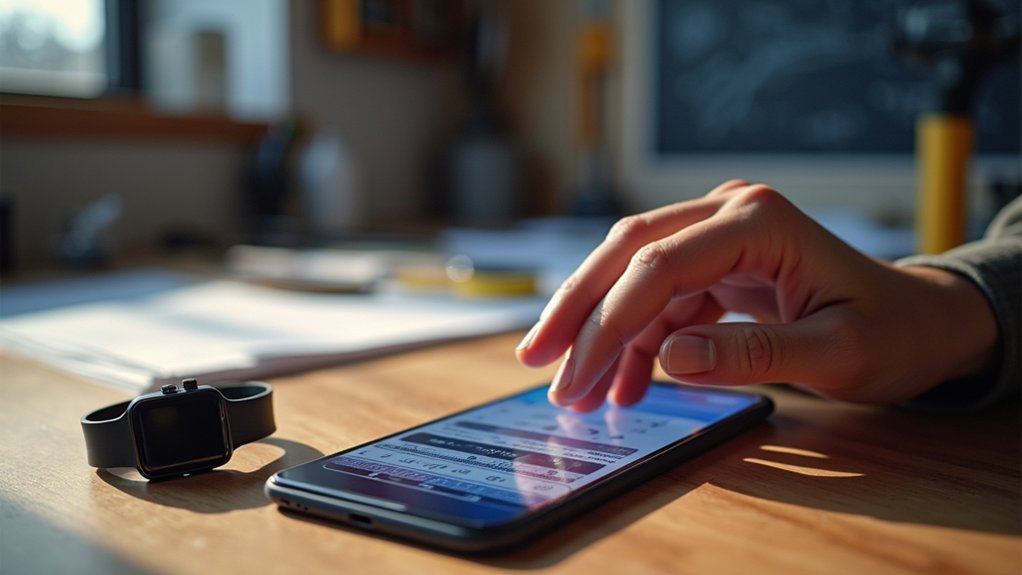
When you need precise measurements on your Android device, AR Ruler App delivers extensive camera-based measuring capabilities through Google’s ARCore technology.
You’ll find thorough features including distance measurement, height calculation, and room planning tools that export to PDF format.
The app supports multiple measurement units—centimeters, meters, millimeters, inches, feet, and yards—giving you versatility for any project. You can measure linear distances with the AR ruler, calculate distances from your device to objects, and even determine path lengths from photos.
For ideal accuracy, you’ll want well-lit, clutter-free environments when using the camera.
The app’s user-friendly interface includes helpful tutorials, making it accessible whether you’re measuring furniture or planning room layouts. A built-in gallery function stores your measured images for future reference and project documentation. Email support’s available for any technical issues.
Apple Measure App – Built-In AR Measuring Tool for Iphone Users
Since Apple includes the Measure app as a built-in feature on iPhones, you’ll have immediate access to AR measuring capabilities without downloading additional software.
You’ll find it in your Utilities folder, ready to measure objects between 0.5 to 3 meters away with reasonable accuracy.
The app automatically detects rectangular objects and frames them with white boxes for quick measurements. You can also set manual start and end points for custom measurements.
Smart auto-detection frames rectangular objects instantly, while manual measurement points give you complete control over custom distances.
Enhanced features appear on iPhone 12 Pro and later models, including automatic height measurement and improved guides for large objects.
You’ll see real-time measurements on-screen, take photos for reference, and share results through Mail or Messages. The app has received a 3.2 out of 5 rating from users, with positive feedback particularly noted for its accuracy when measuring solid items.
The green camera indicator keeps you informed when the camera’s active, ensuring privacy awareness.
Ruler AR – Highly Accurate Free Alternative for Ios Devices
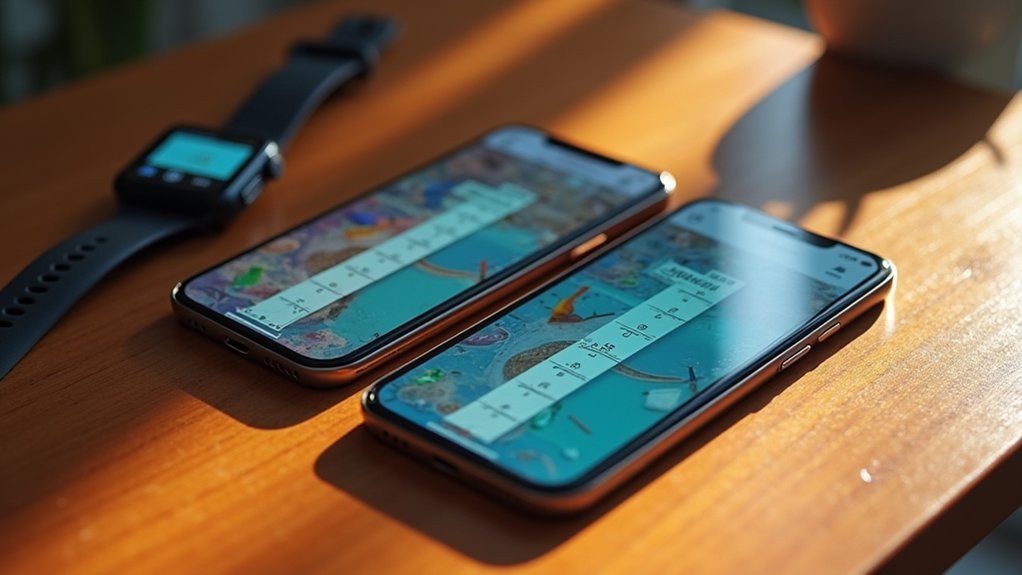
You’ll find Ruler AR offers a compelling alternative to Apple’s built-in Measure app with enhanced accuracy features that set it apart from other free measuring tools.
This iOS-exclusive app delivers precise measurements through its specialized Touch Mode and advanced ARKit integration, all wrapped in a clean, advertisement-free interface.
You can access professional-grade measuring capabilities without paying premium prices, making it an excellent choice for users who need reliable measurements on their iPhone. The app includes volume tools that measure sizes of 3D objects, including cubes and cylinders, expanding your measurement capabilities beyond basic length and height calculations.
Free Ios App
Ruler AR stands out as one of the most sophisticated free measuring apps available for iOS devices, leveraging Apple’s ARKit technology to deliver remarkably precise measurements through augmented reality.
You’ll find it exceptionally user-friendly with its light, intuitive interface that makes measuring distances, lengths, heights, areas, and angles effortless.
The app’s Touch Mode lets you tap specific points for extra precision, while the built-in bubble level guarantees perfect alignment on surfaces.
You can measure areas by connecting perimeter points and use sliders for accurate measurements of small objects. Supporting inches, meters, and centimeters, you’ll easily save your measurements directly to your Camera Roll.
Whether you’re tackling home improvement projects, DIY crafts, or professional fieldwork, this free app provides professional-grade measuring capabilities. The app is developed by Vladislav Kovalski, who specializes in creating utility applications for mobile devices and provides regular updates to enhance functionality.
Superior Accuracy Features
What sets this app apart from other free measuring tools is its sophisticated integration of Apple’s ARKit technology, which delivers professional-grade accuracy through your device’s camera and sensors.
You’ll get real-time measurements for distances, heights, and angles while the app tracks planes and surfaces to guarantee precise start and end points.
The Touch Mode feature eliminates parallax errors by letting you position your phone directly at measurement points.
You can use the included sliders for millimeter-precision measurements of small objects, while the aiming alignment system helps you pinpoint exact endpoints.
The built-in Bubble Level guarantees your measurements maintain proper horizontal and vertical alignment, and you’ll find the accuracy consistently outperforms other free alternatives for everyday applications. The app also features a flexible measuring tape that enables you to measure curved objects with the same precision as straight lines.
Simple Interface Design
Beyond technical precision, Ruler AR’s interface prioritizes simplicity with a clean, uncluttered design that gets you measuring quickly.
You’ll appreciate how the minimalist approach eliminates distractions while maintaining full functionality.
The app’s intuitive navigation makes measurements effortless:
- Touch Mode – Place your iPhone directly next to measurement points for enhanced precision
- One-tap save options – Save measurements to your camera roll instantly
- Automatic surface detection – The app identifies surfaces without manual adjustment
- Multi-unit support – Switch between cm, m, mm, inches, feet, and yards seamlessly
- Visual feedback – Clear aiming marks and real-time guidance guarantee accurate placement
Camera-based measurements feel natural, with gesture controls that respond intuitively to your movements.
The streamlined interface guarantees you’re measuring within seconds of opening the app, making Ruler AR ideal for both quick measurements and detailed projects.
Moasure App – Multi-Tool Measurement Solution for Both Platforms
You’ll find Moasure App stands out as a versatile measurement solution that works seamlessly across both iPhone and Android devices.
The app combines multiple measurement tools in one platform, letting you calculate areas, perimeters, volumes, and elevations while generating detailed floor plans.
Its motion-based technology using inertial sensors delivers impressive precision, especially when paired with compatible Moasure hardware devices for enhanced accuracy. The platform allows you to export your measurements in multiple formats including PDF, CAD (DXF/DWG), and CSV files for seamless integration with your existing workflow.
Cross-Platform Device Compatibility
When you’re working across different devices and operating systems, Moasure stands out as a truly versatile measurement solution that doesn’t lock you into a single platform.
You’ll find the app available on both iOS and Android, with full iPad compatibility through Moasure PRO extending support to tablet users who need larger screens for complex projects.
The cross-platform functionality guarantees you can seamlessly switch between devices without losing data or functionality:
- Bluetooth connectivity works consistently across all platforms
- Export formats (PDF, DXF, DWG, CSV, SVG) maintain compatibility with professional software
- Measurements transfer instantly between standard and PRO versions regardless of device
- Interface design remains sleek and user-friendly on both operating systems
- Feature parity is maintained through regular updates across platforms
The app requires Apple iOS 13+ and Android OS 9+, ensuring broad compatibility while maintaining optimal performance across both mobile operating systems.
Multiple Measurement Tools
Moasure transforms your smartphone into a thorough measurement toolkit that handles everything from basic distance calculations to complex 3D site surveys.
You’ll access multiple measurement modes including area calculations for irregular sites, volume measurements, and elevation tracking. The app automatically calculates perimeter length, grade, rise, and run while you work.
You can switch between Straight Line, Trace Line, and Arc path types within the same measurement session, making complex shapes manageable.
The Area Calculator delivers faster results with improved productivity features. Color Layers and Scale Grid options help you differentiate measured zones for better visual clarity.
You’ll also benefit from measurement labeling tools and point ignoring options that let you refine data and achieve cleaner, more professional results for any project. The technology uses motion-based measuring to provide solutions that work faster than traditional measurement tools across industries like construction, landscaping, and fencing.
Precision and Accuracy
The app’s sensor fusion combines accelerometer and gyroscope data to track your device’s position in three-dimensional space.
This self-contained system doesn’t require external beacons or markers, making it incredibly versatile for both indoor and outdoor environments.
Key precision features include:
- Automatic area and perimeter calculations for irregular surfaces
- Elevation and grade measurements for sloped terrains
- Cut and fill calculations for construction projects
- Multiple measurement layers for complex job sites
- Enhanced editing options to fine-tune captured data
Your measurements automatically sync and store, minimizing manual recording errors. Motion-based technology eliminates measurement errors that commonly plague traditional measuring methods.
Angle Meter App – Professional Angle and Level Measurements
Professional construction and engineering projects demand precise angle measurements, and Angle Meter apps deliver exactly that capability through your smartphone’s built-in sensors and camera.
You’ll get real-time angle readings referenced to the horizontal axis, with multiple measurement modes including live camera feed, image import, and direct line drawing. The apps let you measure unlimited angles simultaneously on one image while offering scaling, moving, and color adjustments for your measurement tools.
You can customize angle lines, save annotated images, and share measurements for professional documentation. Advanced versions combine 360° protractor, clinometer, and bubble level tools with automatic mode switching.
Four-step calibration using device accelerometers guarantees high precision, while flashlight integration supports measurements in dark environments for complex measuring tasks. A built-in loupe feature enables precise placement of measurement points for enhanced accuracy when measuring critical angles.
Roomscan Pro – Advanced Floor Plan Creation and Room Scanning
Beyond precise angle measurements, creating complete floor plans requires sophisticated room scanning technology that captures entire spaces with professional accuracy. RoomScan Pro delivers three flexible scanning methods: touching walls, using your phone’s camera, or manual drawing for maximum adaptability.
The app leverages Apple’s LiDAR technology through RoomPlan integration, greatly boosting speed and precision on compatible devices. You’ll appreciate its reliability in challenging conditions—Touch Mode works even in low-light environments where other apps fail.
Key professional features include:
- Bluetooth laser measure support for enhanced measurement precision
- Automatic ceiling height and wall area calculations
- Wide export compatibility (DXF, IFC, PDF, Xactimate® ESX)
- Apple Pencil annotation support for quick notes
- Photo integration with automatic floor plan placement
The app has garnered positive user feedback with an average rating of 4.2 out of 5 from 1.8K users who praise its speed and ease of creating floor plans.
With over two million users since 2012, RoomScan Pro consistently delivers “good enough” professional results in under 20 minutes.
Google Maps – Distance Measurement Between Geographic Locations
You’ve likely used Google Maps for navigation, but you mightn’t know it doubles as a powerful distance measurement tool for geographic locations.
The app’s built-in measurement features let you calculate straight-line distances or create custom paths between multiple points with remarkable accuracy.
Whether you’re planning trips, mapping outdoor activities, or organizing events, Google Maps provides essential location-based measurement capabilities right at your fingertips. You can add multiple points along any route to follow curves, bends, and specific pathways for more precise distance calculations.
Measuring Geographic Distances Accurately
How accurately can you measure distances between geographic locations using Google Maps? You’ll find impressive precision with ETA predictions being correct for over 97% of trips. The app updates every second to maintain accuracy, using machine learning to predict traffic patterns and road conditions effectively.
Google Maps’ accuracy features include:
- Real-time updates considering current traffic and road conditions
- Machine learning algorithms for traffic prediction enhancement
- Over 97% accuracy rate for estimated time of arrival predictions
- Continuous second-by-second data renewal for precision
- Integration with 5+ million websites and apps for widespread reliability
However, you should expect some limitations. Accuracy can decrease during heavy traffic or for very short distances under 5 meters. The service collects real-time traffic data from over 1 billion kilometers of roads daily to maintain its precision standards.
Despite these minor limitations, Google Maps remains highly reliable for geographic distance measurement across various conditions.
Location-Based Measurement Features
Google Maps includes a built-in distance measurement tool that lets you calculate straight-line or custom path distances directly within the interface.
On desktop, you’ll right-click your starting point and select “Measure distance” from the menu. Click additional points to create custom paths, and the total distance updates automatically.
For mobile devices, long-press to drop a pin, tap the info window, and select “Measure distance.” Move the map to your endpoint and tap “Add point” to continue measuring.
This feature’s particularly useful for hikers estimating trail lengths, cyclists planning routes, or delivery planners calculating distances. The tool also supports measuring running routes for fitness enthusiasts who want to plan their workout distances.
While it’s excellent for rough estimates, remember it doesn’t account for elevation changes and works best as a quick measurement tool rather than precise surveying equipment.
Maps Navigation Tools
While basic measuring apps handle shorter distances, Google Maps extends your measurement capabilities to geographic locations anywhere in the world.
You’ll find this built-in feature invaluable for planning trips, outdoor activities, and logistics projects without needing additional software.
The tool offers both straight-line measurements and custom paths that follow actual roads or trails.
You can add multiple waypoints to create complex routes, with real-time distance updates as you build your path. All measurements display decimal precision for highly accurate distance calculations.
Key measurement capabilities include:
- Straight-line distance between any two geographic points
- Custom path creation following roads, trails, or terrain
- Multi-point routing for complex journey planning
- Real-time updates showing total distance calculations
- Cross-platform access on desktop and mobile devices
You’ll need an updated Google Maps app and stable internet connection for accurate measurements.
Smart Measure – Object Height and Distance Calculator
Smart Measure stands out as a specialized Android app that calculates object heights and distances using advanced trigonometry principles. You’ll find three measurement ranges available: Smart Ruler (1-50 cm), Smart Measure (1-50 meters), and Smart Distance (10 meters to 1 kilometer).
| Feature | Capability | Range |
|---|---|---|
| Smart Ruler | Close measurements | 1-50 cm |
| Smart Measure | Medium distances | 1-50 meters |
| Smart Distance | Long distances | 10m-1km |
For ideal accuracy, you’ll need to set your phone height in settings and hold your device at eye level. The app includes a virtual horizon for precise alignments and screen capture functionality for documenting measurements. You can toggle sound effects and calibrate settings if needed. The material design interface prioritizes simplicity, though some users find it challenging initially.
The app offers dual functionality for measuring both distance and height, making it particularly useful for construction work and outdoor activities.
Tape Measure Camera Ruler – Digital Measuring Tape Replacement
Five cutting-edge camera ruler apps transform your smartphone into a digital tape measure, eliminating the need to carry traditional measuring tools.
These AR-powered applications use your device’s camera to measure distances, heights, and dimensions with remarkable convenience.
The top free tape measure camera apps include:
- AR Ruler App – Android’s intuitive AR measuring tool for indoor/outdoor distances
- Apple Measure App – Pre-installed iOS app for quick object measurements
- Moasure App – Cross-platform ruler, protractor, and tape measure combination
- Ruler AR App – iOS-focused tool often more accurate than Apple’s native app
- ARPlan 3D – Android space measurement app for room planning
While these apps won’t replace professional measuring tools for precision work, they’re perfect for everyday DIY projects, furniture shopping, and quick measurements when you’re caught without traditional tools. Many apps include save features that allow you to store and revisit measurements for future reference.
Level and Plumb Bob – Construction-Grade Leveling and Alignment Tool
When you’re hanging pictures, installing shelves, or tackling construction projects, your smartphone’s built-in accelerometer and gyroscope sensors can replace traditional bubble levels with remarkable accuracy.
Apps like Bubble Level and Pocket Bubble Level transform your device into a precision leveling tool that’s always in your pocket.
These apps offer both relative and absolute calibration methods, ensuring accuracy across different surfaces. You’ll find inclinometer functions for measuring angles and inclinations, plus multi-plane measurements for versatile applications.
Many provide sound feedback so you don’t need to look at your screen constantly.
Whether you’re measuring roof pitches, setting up photography tripods, or assembling furniture, these apps display measurements in degrees, percentages, or roof pitches for maximum convenience. Professional handymen and DIY enthusiasts particularly benefit from apps that offer orientation locking features for enhanced stability during measurements.
Frequently Asked Questions
Do These Measuring Apps Work Offline Without Internet Connection?
You’ll find most measuring apps work offline since they only need your camera. AR Ruler, Measure, and ARPlan 3D function without internet for basic measurements, though some advanced features might require connectivity.
How Much Battery Do AR Measuring Apps Typically Consume During Use?
You’ll find AR measuring apps consume battery similarly to video calling apps, typically draining your phone in 3-7 hours during continuous use, with Android devices generally experiencing faster battery depletion than iOS.
Can Measurement Data Be Exported to Other Apps or Cloud Storage?
You’ll find most measuring apps don’t offer direct cloud storage integration or standardized export formats. You’re typically limited to sharing data through email or manual screenshots, requiring workarounds for transferring measurements effectively.
Are These Apps Accurate Enough for Professional Construction or Design Work?
You shouldn’t rely on these free measuring apps for professional construction or design work. They’re not accurate enough for critical measurements and can’t match dedicated professional measuring instruments’ precision standards.
Do Measuring Apps Work Properly in Low Light or Dark Conditions?
You’ll find measuring apps struggle considerably in low light conditions. They can’t detect surfaces properly, produce unreliable measurements, and often display warnings or refuse to work entirely without adequate lighting.
In Summary
You’ve now got access to nine powerful measuring apps that’ll transform your smartphone into a precise measurement toolkit. Whether you’re tackling home improvement projects, professional construction work, or quick daily measurements, these free apps deliver accuracy without breaking the bank. Download a few that match your specific needs and you’ll never scramble for a physical ruler again. Your phone’s already equipped to measure virtually anything around you.