You’ll love Garmin’s seven standout features for sharing workout data: LiveTrack real-time broadcasting lets contacts monitor your progress live, while multi-platform export syncs activities to Strava and TrainingPeaks automatically. Side-by-side comparison tools analyze up to four workouts simultaneously, and group challenges create competitive leaderboards with friends. Privacy controls keep sensitive metrics secure, enhanced LiveTrack features provide emergency monitoring, and AI-powered insights transform complex data into shareable summaries. These tools make your fitness journey more connected and engaging than ever before.
LiveTrack Real-Time Activity Broadcasting
When you’re heading out for a solo run or bike ride, Garmin’s LiveTrack feature lets you share your real-time location and progress with selected contacts or the public through a unique tracking link.
You can activate LiveTrack through the Garmin Connect app’s Safety & Tracking settings or directly on your watch during activity start. The feature works with most GPS Garmin devices from 2018 onwards and requires your paired smartphone’s internet connection to transmit location data.
You’ll see an eye icon on your watch when LiveTrack’s active, confirming the session’s running. Your contacts receive text or email notifications with the tracking link, allowing them to monitor your progress on a live map for enhanced safety during solo activities. The shared data includes your current location, average pace, distance traveled, elapsed time, and heart rate information.
Multi-Platform Workout Export and Syncing
You can export your Garmin workout data in multiple file formats like FIT, TCX, and CSV to guarantee compatibility across different fitness platforms.
Garmin Connect offers automatic syncing capabilities that’ll seamlessly transfer your activities to third-party services like TrainingPeaks without manual intervention.
These export and sync features let you maintain consistent access to your workout data whether you’re using Garmin’s ecosystem or switching between various fitness tracking applications. The Training Center provides comprehensive backup functionality that preserves your complete history, workouts, courses, and user profile settings for complete data protection.
Export File Formats
Garmin devices support multiple export file formats that enable seamless workout data sharing across various fitness platforms and applications.
FIT files serve as Garmin’s primary format, storing extensive metrics like heart rate, pace, and power data in a compact binary structure. You’ll find FIT files widely accepted by fitness platforms for detailed analysis, though they require compatible software for interpretation.
TCX files offer complete workout data including lap splits and heart rate zones, making them ideal for training analysis on third-party platforms like Strava and TrainingPeaks.
GPX files focus on GPS tracks and waypoints, perfect for route sharing with mapping services.
CSV exports provide summary data in spreadsheet format, while JSON offers structured data for developers creating custom analytics solutions. The Account Management Center enables comprehensive data export requests that deliver complete fitness records within 30 days.
Automatic Platform Syncing
While manual file exports provide flexibility for specific use cases, automatic platform syncing transforms your Garmin device into a seamless data hub that eliminates the tedious process of manually transferring workout information.
Your Garmin automatically syncs with Garmin Connect, then distributes data to multiple platforms without constant intervention. You’ll get background syncing capability, meaning data transfers even when you’re not actively using the app.
| Platform | Data Types | Setup Required |
|---|---|---|
| Garmin Connect | All activity data | Automatic |
| Google Fit | Steps, heart rate | Health Sync app |
| Samsung Health | Activity metrics | Manual linking |
| TrainingPeaks | Workouts, body composition | Account connection |
| Final Surge | Training data | Third-party integration |
The system requires device proximity for syncing and manual account linking for third-party platforms, but once configured, you’ll enjoy thorough data integration across your fitness ecosystem. You can also hold the device key to access the menu and manually initiate syncing when needed.
Side-by-Side Activity Comparison Tools
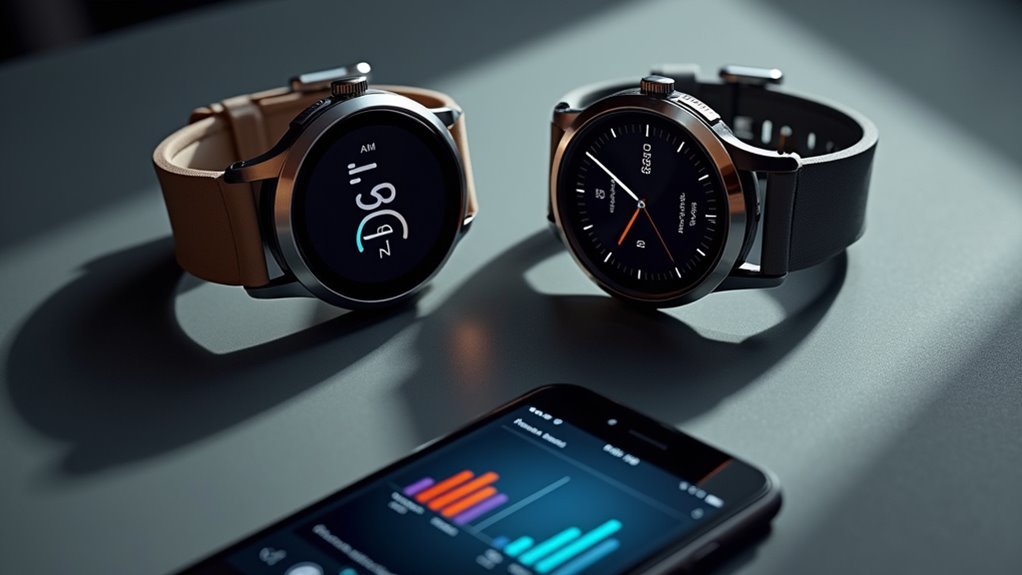
When analyzing your fitness progress requires detailed comparison across multiple workouts, Garmin Connect’s side-by-side activity comparison tools deliver thorough visual and metric analysis.
You can compare up to four activities simultaneously, with mapped tracks showing route differences and time-specific icons for precise temporal comparison.
The web interface overlays multiple routes while synchronizing pace, heart rate, cadence, and elevation data through color-coded graphs. You’ll see detailed lap and segment comparisons, helping you evaluate performance on specific course sections. The tool highlights your best segments and fastest times within compared datasets.
However, you’re limited to web-only access, and the feature currently lacks course-based filtering options. Additionally, when comparing activities from your connections, privacy settings may restrict which activities are visible and available for comparison analysis.
Despite these limitations, you can compare activities across different dates and types while maintaining your preferred privacy settings for shared data.
Group Challenges and Competitive Leaderboards
Beyond individual tracking, group challenges and competitive leaderboards transform your Garmin Connect experience into a social fitness platform that drives motivation through friendly competition. You’ll need at least two group members to create challenges, which you can customize for various metrics like steps, running distance, or cycling miles. The web interface offers the most robust challenge creation tools compared to the mobile app.
| Challenge Type | Available Metrics |
|---|---|
| Running/Cycling | Distance, time, elevation |
| Daily Activity | Steps, active minutes |
| Swimming | Distance, stroke count |
Real-time leaderboards display everyone’s progress, fostering accountability and encouraging you to push harder. Group privacy settings can be configured to control whether challenge activities are visible to everyone or only group members. While current limitations exist—like missing calorie-based challenges—the competitive element considerably enhances motivation through peer interaction and shared goals within your fitness community.
Social Media Integration With Privacy Controls
You can share your workout achievements across Facebook, Instagram, and other social platforms with just one tap from your Garmin Connect app.
The platform gives you complete control over who sees your activities through customizable privacy settings that let you choose between public sharing, friends-only visibility, or keeping workouts completely private.
You’re also able to hide sensitive location data like your starting point while still sharing your route and performance metrics with your chosen audience. For enhanced safety during outdoor activities, you can enable real-time location sharing with up to three selected contacts who can monitor your whereabouts and device battery status during workouts.
One-Tap Social Sharing
Although Garmin’s one-tap sharing primarily focuses on device-to-device transfers rather than direct social media posting, you’ll find several streamlined options for sharing your workout data with friends and followers.
The Garmin Share feature enables wireless transfer of routes, waypoints, and workouts between compatible devices using Bluetooth technology. You’ll simply select your desired content and press the share button within 10 feet of another Garmin device. When connecting devices for the first time, you’ll need to confirm a 6-digit code with the recipient to establish a secure connection.
For broader social sharing, LiveTrack creates real-time sharing links you can post manually to social networks or send via email. This feature displays your current location and travel paths while maintaining privacy controls.
You’ll generate sharable performance snapshots through Garmin Connect, which serves as your central hub for creating visual content perfect for social media posts.
Customizable Privacy Settings
Privacy controls form the foundation of Garmin’s social sharing features, guaranteeing you maintain complete authority over what workout data becomes visible to others.
You’ll find default settings automatically protect your activities as private, requiring manual opt-in for any sharing. The dashboard provides quick toggles to switch between public and private modes for future uploads, while individual workout customization lets you control specific data elements.
You can selectively share with chosen contacts or groups, exclude sensitive health metrics like heart rate and sleep data, and mask location information when needed. The segments feature allows for performance comparisons against various groups or the community while maintaining your desired privacy level.
Your smartwatch offers notification privacy controls, letting you manage message previews and sender details. These granular settings guarantee you’re never sharing more than intended while maintaining full transparency about data usage.
Enhanced LiveTrack Features in Garmin Connect
When you’re looking to share your workout progress with friends and family, Garmin’s enhanced LiveTrack features in Garmin Connect provide powerful real-time tracking capabilities that go far beyond basic location sharing.
You can invite contacts through the app by entering names or email addresses, and they’ll receive links to monitor your current location and path during activities like running or cycling.
The system offers automatic start options, ensuring continuous tracking without manual intervention.
You’ll find LiveTrack works seamlessly with most GPS-compatible Garmin devices from 2018 onwards, integrating perfectly with activity tracking features.
For added safety, your contacts can view recently visited locations and monitor your progress in real-time, making it invaluable during emergency situations or when planning routes. Additionally, you can share your LiveTrack link through social networks and messaging apps for broader accessibility.
AI-Powered Workout Summaries and Insights Sharing
Garmin’s AI-powered workout summaries through Connect+ revolutionize how you interpret and share your fitness data by transforming complex metrics into personalized, actionable insights.
The Active Intelligence feature analyzes your stress, V2 Max, training load, and sleep patterns to generate tailored daily insights beyond just post-workout summaries.
You’ll find these AI insights prominently displayed on your Garmin Connect app home screen, though they won’t appear as watch notifications.
The $6.99 monthly subscription provides exclusive access to progress reports, training status analysis, and educational content from fitness experts that you can easily share with your social circles.
While still in beta, these AI summaries offer thorough performance dashboards and exportable workout analyses, helping you communicate your fitness journey more effectively than raw data alone. Users can engage with the system through thumbs up/down feedback to help improve the relevance and accuracy of future insights.
Frequently Asked Questions
Can I Share Workout Data With Non-Garmin Users Who Don’t Have Accounts?
You can share workout data with non-Garmin users by making your activities public and sharing URLs, or by exporting files like TCX/GPX that they’ll import into compatible platforms.
How Long Does Shared Workout Data Remain Accessible to Recipients?
You’ll find shared workout data remains accessible indefinitely unless you manually delete it. Recipients can access your shared data as long as your account stays active and you don’t revoke sharing permissions.
What Happens to Shared Data When I Delete My Garmin Connect Account?
When you delete your Garmin Connect account, all shared data links break and become unavailable to recipients. However, third-party apps that imported your data may retain copies even after deletion.
Can I Retroactively Change Privacy Settings for Previously Shared Workout Activities?
You can’t bulk change privacy settings retroactively. You’ll need to edit each activity individually or use Garmin Connect Web’s Quick Edit feature to modify twenty activities at once.
Do Shared Workouts Count Toward Recipients’ Personal Fitness Goals or Statistics?
No, shared workouts don’t count toward your personal fitness goals automatically. You’ll need to complete the shared workout yourself and sync it from your device before it updates your statistics and goal progress.